How Chore Chart Builder Works
Chore Chart Builder is a free browser tool for turning a family's real routine into a weekly chart. You add the people who will use the chart, choose chores, place them on specific days, and print the result. The tool is designed to make the setup easier — it does not decide what your family must consider fair or which responsibilities are safe for a particular child.
How to read the examples: the examples on this page are hypothetical product demonstrations. They show how the tool uses the inputs you provide; they are not customer stories or advice about what your family should do.
What the tool contains
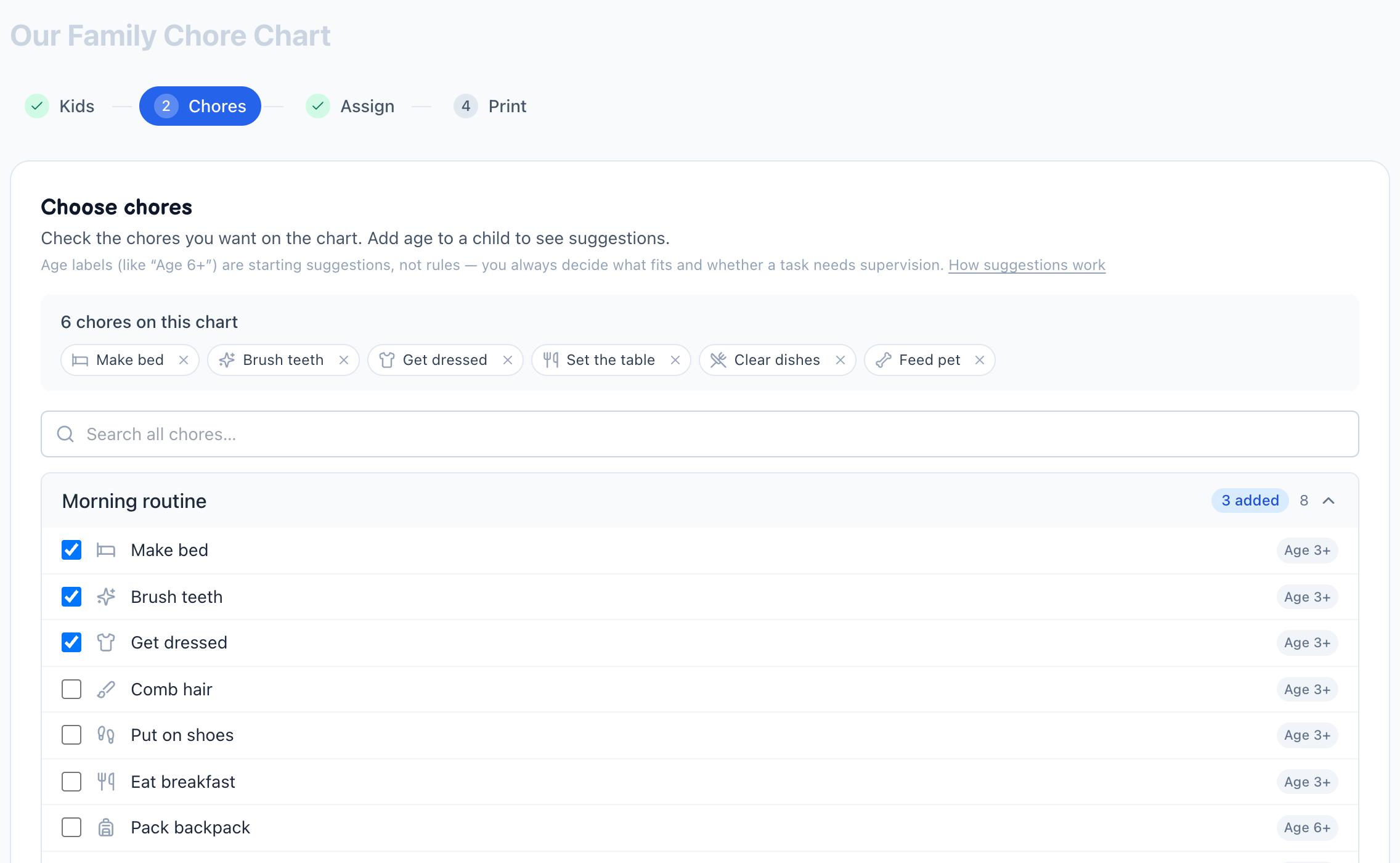
The library has 70 built-in chores grouped into routines: morning, evening, bedroom, kitchen, bathroom, laundry, pets, homework and school, outdoor, weekly resets, and bonus chores. Each library item carries a starting age label such as 3+, 6+, 9+, or 13+. These labels are suggestions for organizing the library — not developmental standards, and not a guarantee that a task is right for every child. A parent or caregiver stays responsible for choosing tasks and supervising them when needed.
You can also add a custom chore. A custom entry is not evaluated by the tool: you decide whether it belongs on the chart and what point value it should have.
How the workload estimate works
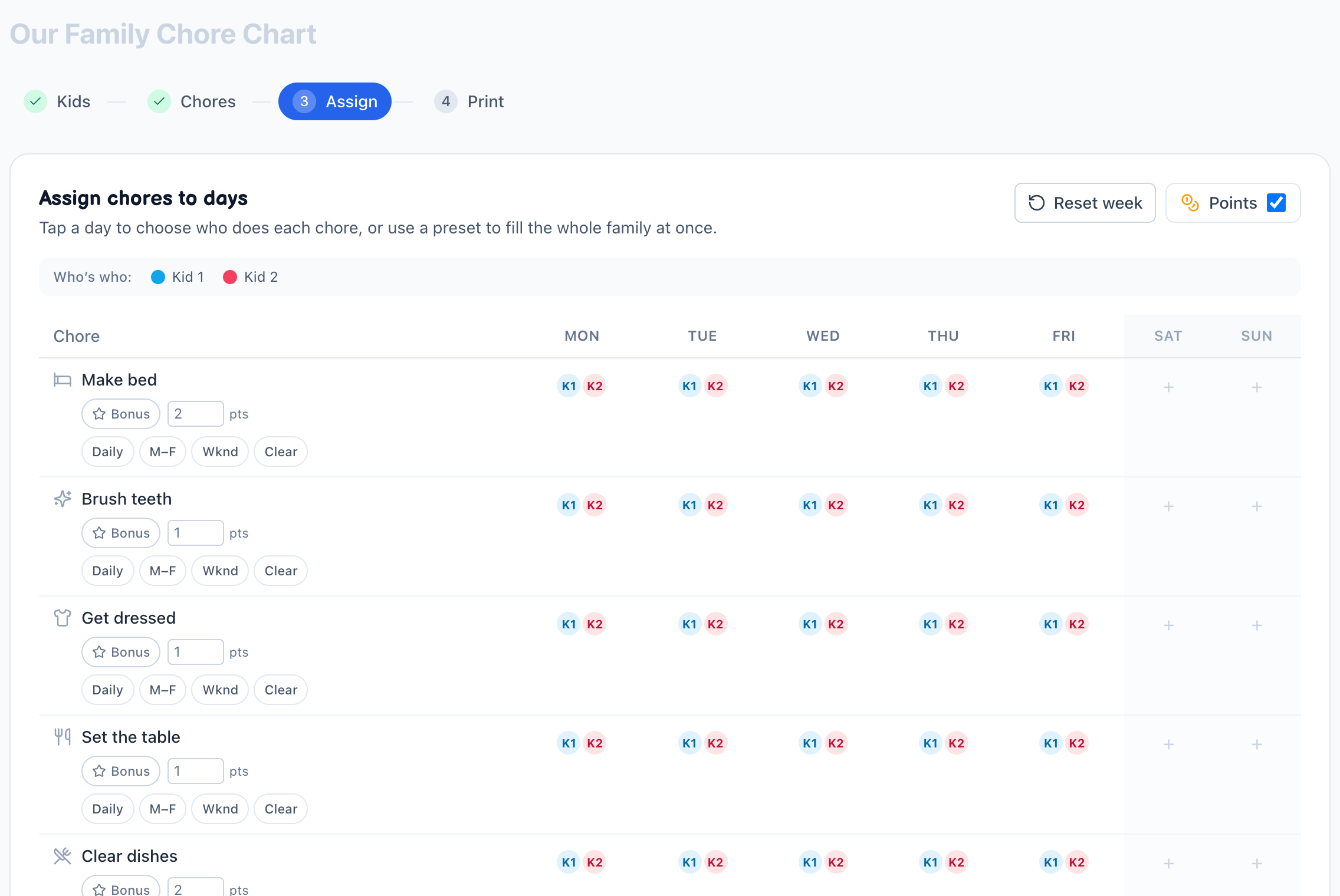
When points are enabled, each chore has an editable starting value. A child's total is calculated by adding the point value each time that chore is assigned to them. The total is a workload estimate that helps you notice an uneven chart. It is not a measurement of time, difficulty, physical effort, emotional effort, or the value of a family member's contribution.
Change the points whenever your household sees a chore differently. A five-minute task may be worth more than a longer one in your family, and a child's age, ability, schedule, or preference can make the same task easier or harder for that person. The tool cannot observe those factors.
How the chart is stored
The chart is saved in your browser's local storage, so you can return to it on the same device and browser. There is no account. Clearing site data can remove the saved chart. Printing or saving a PDF creates a copy outside the tool's local-storage boundary, so protect those copies as you would any family document.
If you accept analytics or advertising cookies, those services may set their own cookies — see the privacy policy. The chart's contents (names, ages, chores) are not sent to us.
Printing options
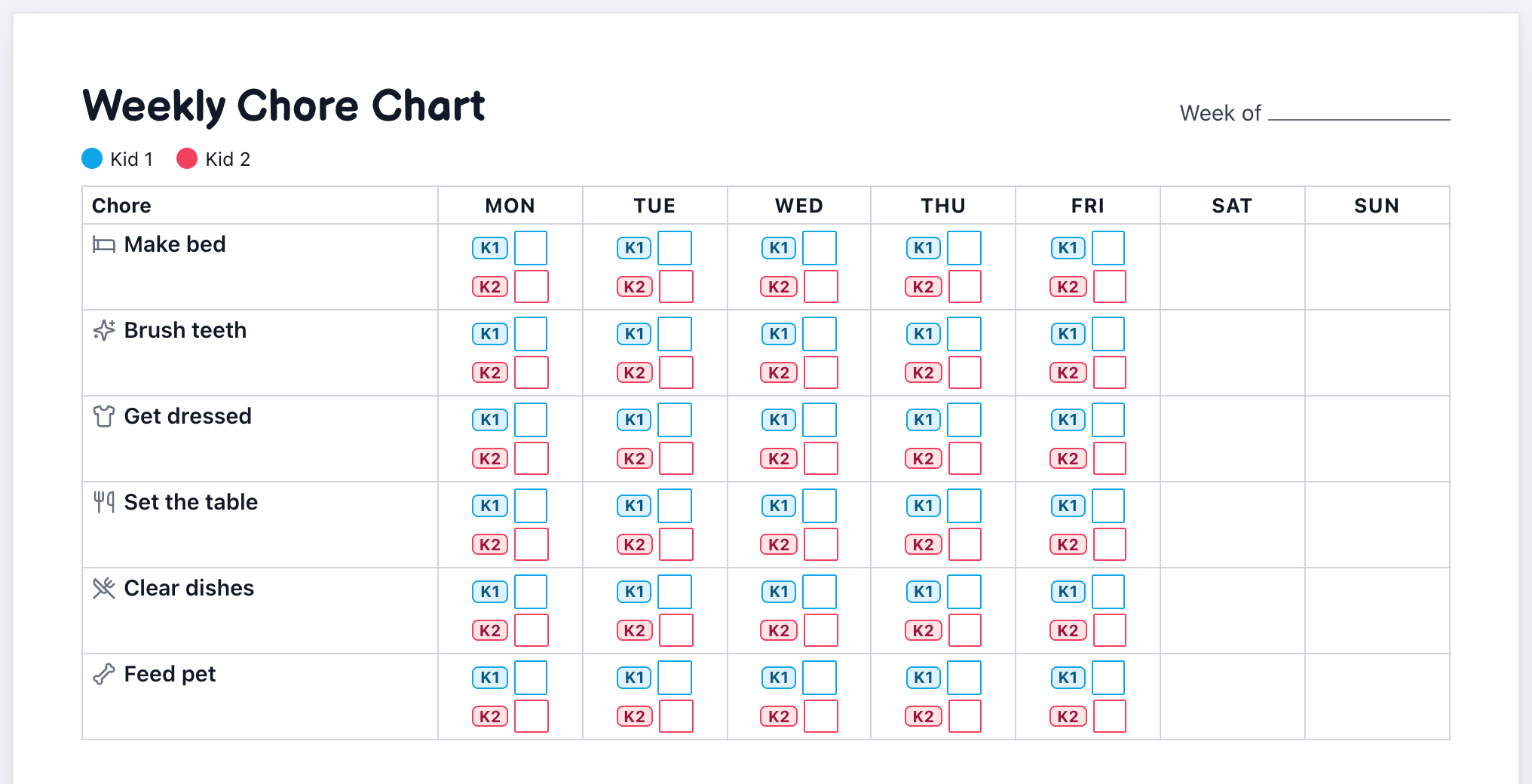
The builder offers a weekly family chart with everyone on one landscape grid, and a separate portrait page for each child. It also offers minimal-ink output, optional icons, and optional points. Your browser's print dialog still controls the final paper size, margins, scaling, and printer behavior — preview the result before printing, especially with a long chore name or several children.
What Chore Chart Builder does not decide
The tool does not determine whether a chore is safe, whether a child can complete it independently, how long it should take, how allowance should work, or what a family's responsibilities should be. Use your own judgment and household rules. The chart is an organizing aid — not professional child-development, medical, legal, or safety advice.
A reproducible demonstration
The following demonstrates the current default point values:
| Chore | Starting points |
|---|---|
| Make bed | 2 |
| Brush teeth | 1 |
| Get dressed | 1 |
| Set the table | 1 |
| Clear dishes | 2 |
| Feed pet | 2 |
| One weekday total | 9 |
If two children are assigned all six chores Monday through Friday, each child receives 30 chore assignments and 45 points. This is a product demonstration, not a recommended schedule — edit any point value or assignment and the totals change.
Last reviewed: July 2026 · Maintained by doubleM · Chore Chart Builder. About the site